
How to find wasted ad spend

Creative accounts for 49% of the incremental sales lift from advertising. Targeting accounts for 11%. That comes from an NCSolutions analysis of about 450 CPG campaigns, published in 2023.
Weak creative makes media work harder. System1's analysis of more than 57,000 US TV ads found that dull ads would need an extra $189 billion in US spend to match the market share gains of ads that hold attention.
So when budget lands on weak creative, it misses on the biggest lever in the plan. The good news: that money is recoverable, and much of it sits in plain sight.
The mktg.ai view: The costliest waste sits in the budget split, where no single ad looks guilty.
What counts as wasted ad spend?
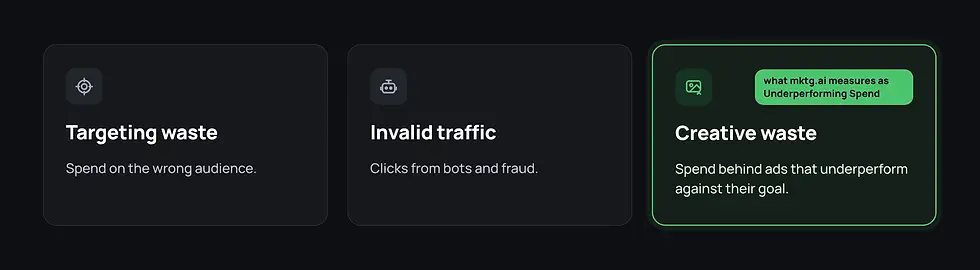
Studies define waste differently. In a 2025 Demandbase and EMARKETER survey of 231 B2B marketers, 58.0% called ad waste a significant issue, and 52.4% estimated that 16% to 45% of their ad spend goes to irrelevant accounts. That is targeting waste. Other studies count invalid clicks.
This post covers creative waste: budget behind ads that underperform against the goal you set for them. It is the kind mktg.ai measures, in the Underperforming Spend figure you will see throughout the product.
Where does wasted ad spend hide?
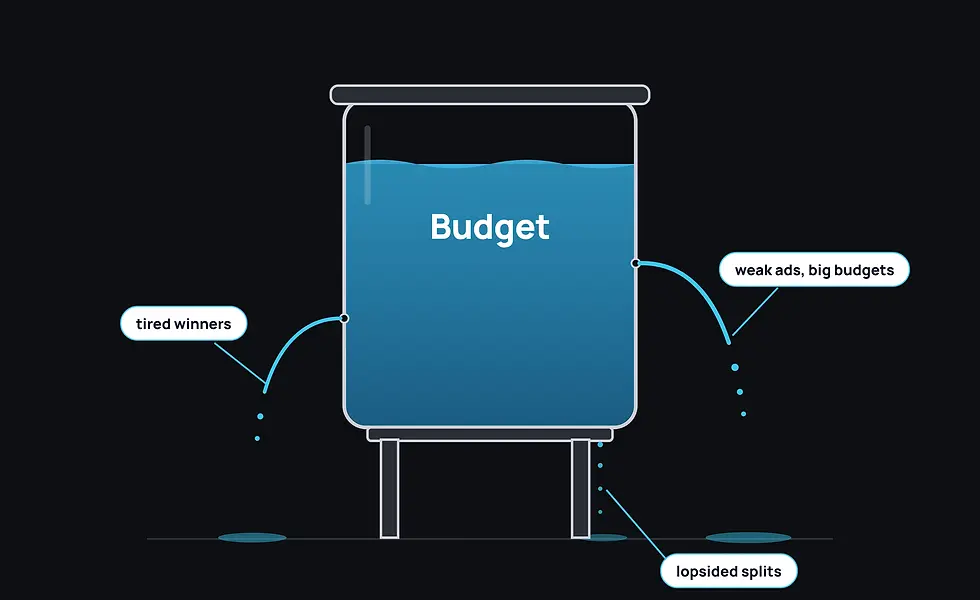
Weak ads with big budgets. Low scores, high spend, still running.
Tired winners. Ads that worked, stopped working, and kept spending.
Lopsided budget splits. Most of the money behind the weakest stage of the funnel.
The first two show up ad by ad. The third only shows up when you look at the campaign as a whole, which is why it survives so long.
Step 1: How do you measure your waste rate?
Open Reports, pick Last 30 days, and press Run Audit. Find Total Spend and Underperforming Spend in Key Metrics. Divide the second by the first.
Example (illustrative). Total Spend is $200,000. Underperforming Spend is $46,000. The waste rate is 23%, and the headline for the next leadership meeting is "$46,000 of last month's budget went to underperforming creative."

Then check Creative Efficiency. If Low and Very Low hold 15% of your ads but 30% of your spend, weak creative is getting double its share of the budget.
Step 2: Which platform is wasting the most?
Open Channels and click through your biggest platforms. Each has an Underperforming Spend card. The channel with the largest number is where to dig first.
Shortcut: open Ask me and type "Which platform is wasting the most spend?"
Step 3: Is the budget split wasting money?
Open Campaigns and look at your largest campaigns. Creative Efficiency shows how much spend sits in orange and red. The Customer Journey shows whether the budget is weighted toward a stage with a low score.
In one real campaign, Awareness held 93% of the budget with an APS of -1.19, while Consideration held 7% with an APS of 3.22. You could review every ad in that campaign one at a time and never notice that the money was piled onto the weakest stage.

Step 4: Which ads are responsible?
From alerts. Open Daily Alerts, filter to Under Performing, and look for High Spend, Low Return and Creative Fatigue Detected. Open Detail View on each to check the evidence.
From the Library. On the platform or campaign you found, open Filters, select Very Low and Low under Performance and Active under Status, press Go, and Sort by Spend. The top of the list is your waste, ranked by cost.
Step 5: Which fixes are worth the most?
With the platform or campaign in view, press Run Analysis and open Actions. Each action carries a dollar figure, such as Reclaim $932.51. Work from the top.
In the Summary, the Health Breakdown shows how much spend sits in At-Risk assets. That is the number to bring to leadership.
Step 6: What should you do with each ad?
Before you pause anything, check three things: the Based on KPI, how long the ad has run, and its Creative DNA.
What you find | Decision |
|---|---|
Scored on the wrong goal | Fix KPI Settings and keep it running |
New and still settling | Lower the budget and recheck in a few days |
Fatigued | Refresh it, with a low budget until the new version is live |
Weak creative, high spend | Pause and move the budget |
Leave a comment on each ad with the decision.
Step 7: Where should the reclaimed money go?
Pausing weak ads only stops the loss. The gain comes when the budget lands on better creative. In the same view, filter to Excellent and Good and sort by Gaining Velocity. Those ads can take more. Post 17 covers finding them.
The monthly waste review
Step | Where | What you leave with |
|---|---|---|
Size it | Reports | Waste rate |
Locate it | Channels and Campaigns | The platform and the stage |
Name it | Daily Alerts and Library | A ranked list of ads |
Price it | Run Analysis | Dollar-ranked fixes |
Fix it | Your ad platforms | Budget moved |
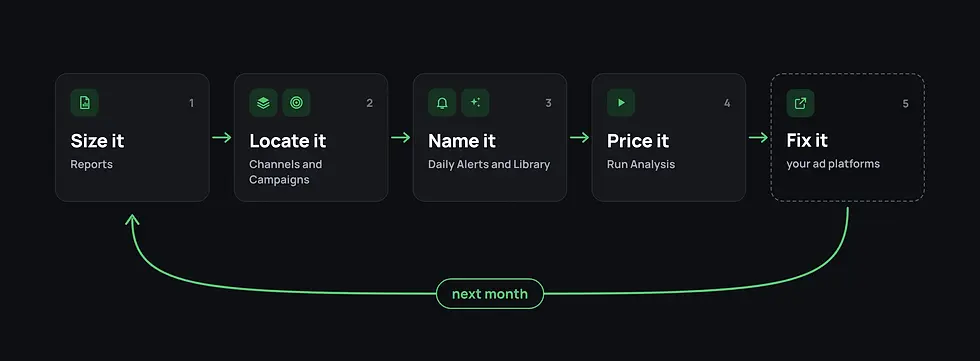
Run the same report next month. If Underperforming Spend fell while Total Spend held, the process is working.
FAQ
What is wasted ad spend? It depends on the study. Some count spend on the wrong audience or invalid clicks. Creative waste is budget behind ads that underperform against their goal, which is what mktg.ai measures as Underperforming Spend.
How do you calculate wasted ad spend on creative? Divide Underperforming Spend by Total Spend for the same period. In mktg.ai, both appear in the Key Metrics of a Marketing Report.
Is pausing weak ads enough? Pausing stops the loss. Moving that budget to creative scoring Excellent or Good is what turns it into results.
Related reading
How to use Daily Alerts (post 14)
How to find your creative winners (post 17)
How to create a marketing report (post 22)
Find the spend your creative is wasting while the campaign is still live. [See mktg.ai.]


Comments